
HARU PHOTO BOOTH · DASHBOARD EXAMPLE
Store operations dashboard
Choose branch, date and other filters to review transactions and photo-sharing records, then check device status.
Internet connection required
An internet connection is required to reach the operations server and view the dashboard.
Screen example · sample data
The screens use illustrative sample data. They contain no real store, customer or transaction records.
Sales
Branch sales and transactions
Choose date and store filters to review sales activity and transaction mix.
- Filter by organization, branch, device, payment method, service and date.
- Review transaction counts, gross, cancelled and net totals separately by currency.
- Review branch, device and daily summaries, then export the transaction list as CSV.
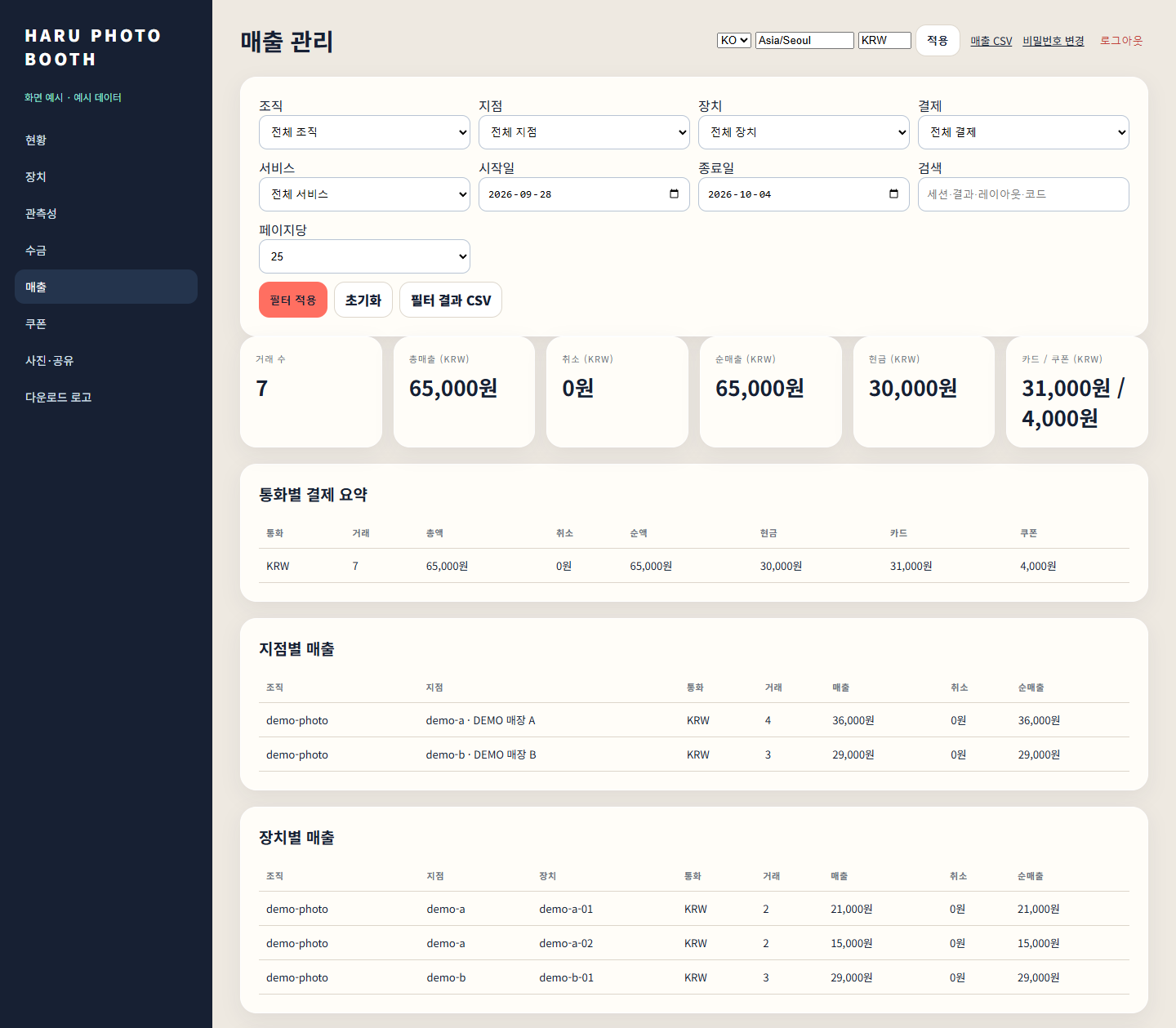
Open a screen to zoom and pan.
Photos & sharing
Photo and QR sharing history
Review upload, completion and expiry status, along with available previews and files.
- Find records by organization, branch, device, date and search term.
- Check the processing status and expiry of QR sharing records.
- Review completed photo and GIF previews and linked file downloads.
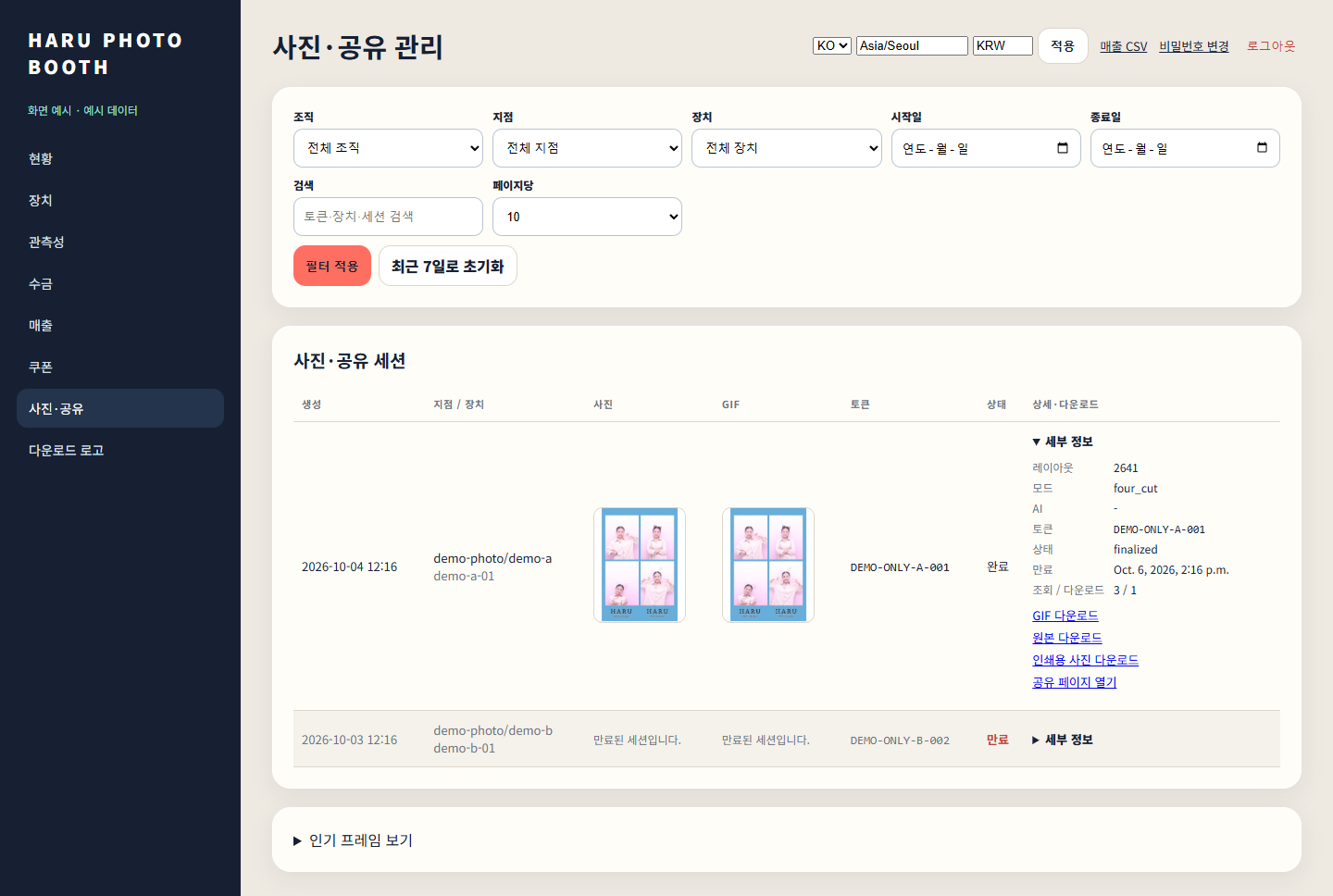
Open a screen to zoom and pan.
Devices
Device and branch operations
Review device connectivity and pending operational items across branches.
- Check online status and last connection time for devices by branch.
- Review camera and printer status, remaining film and print-queue information.
- Check app version and applied settings, including enabled modes.
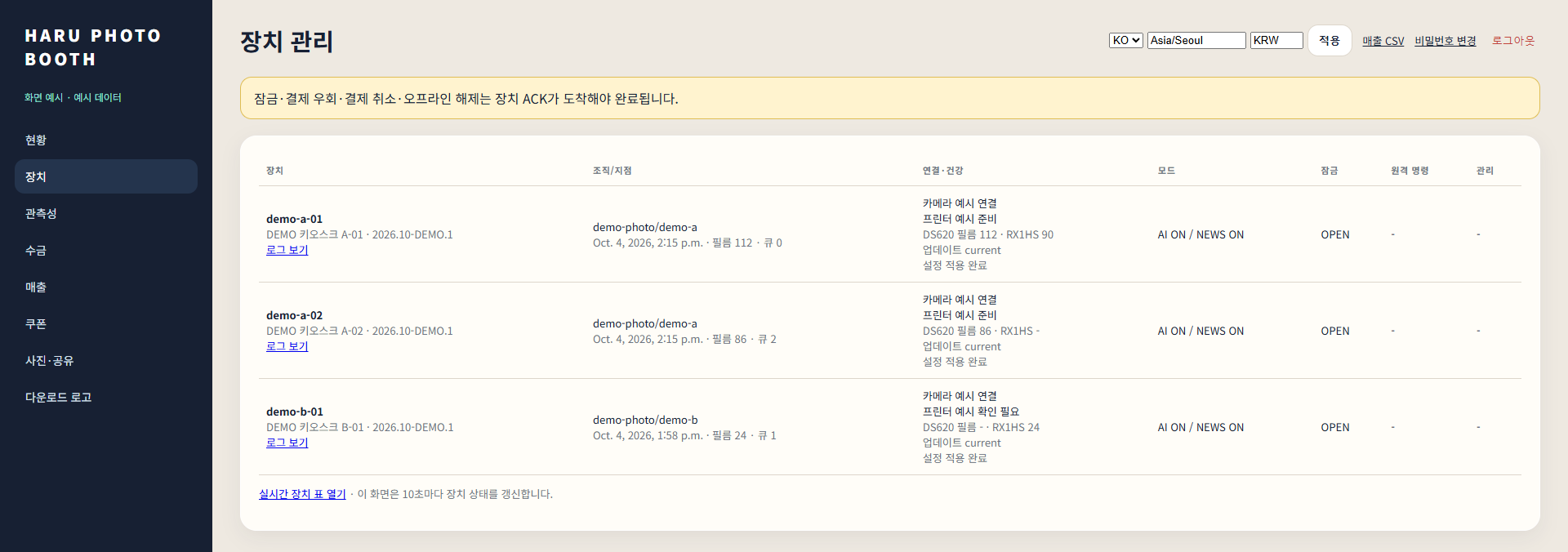
Open a screen to zoom and pan.